Authenticated scan execution
-
To execute the Authenticated scan,
-
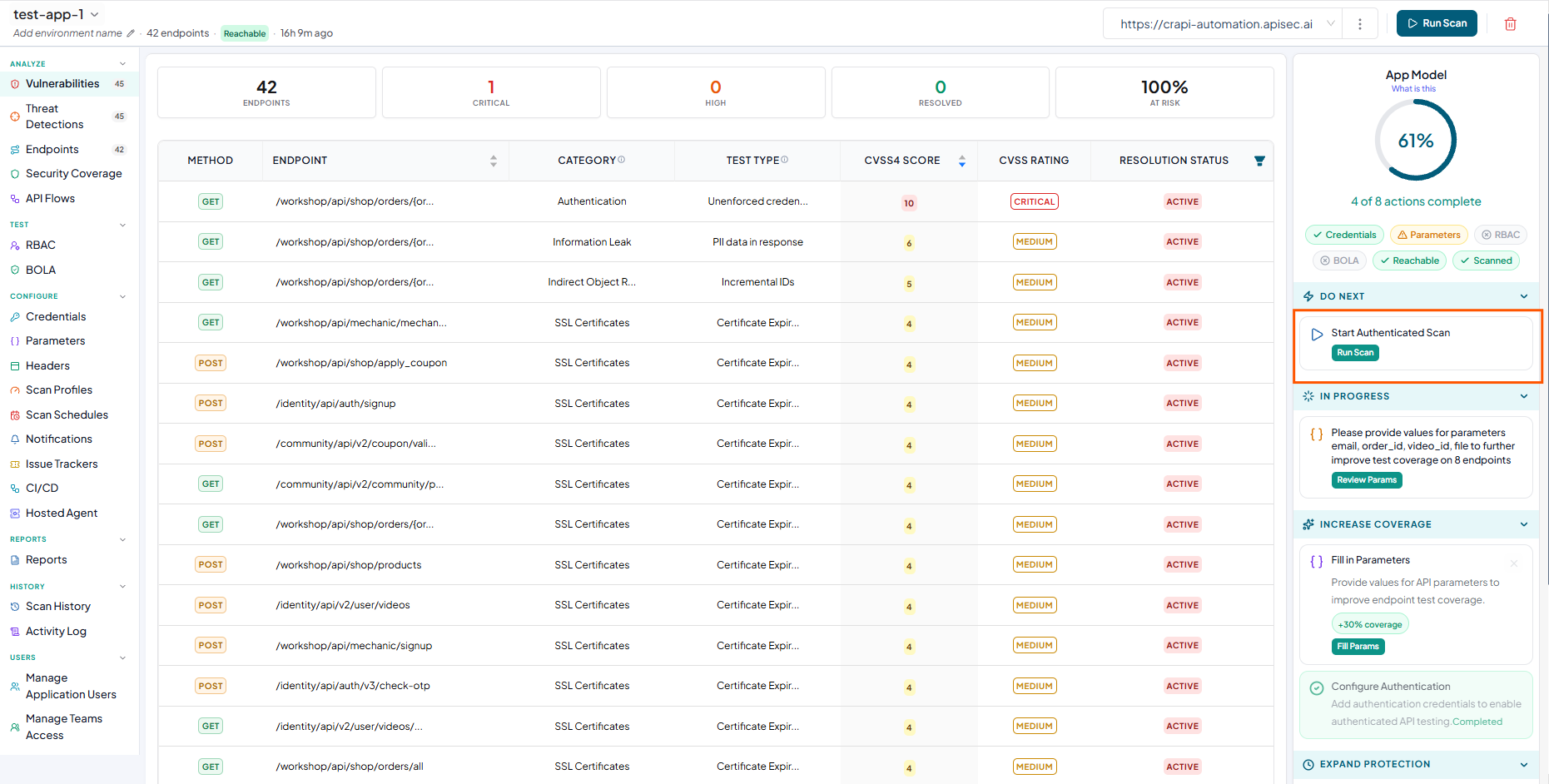
In the App Model, observe Start Authenticated Scan in the Do Next section.
-
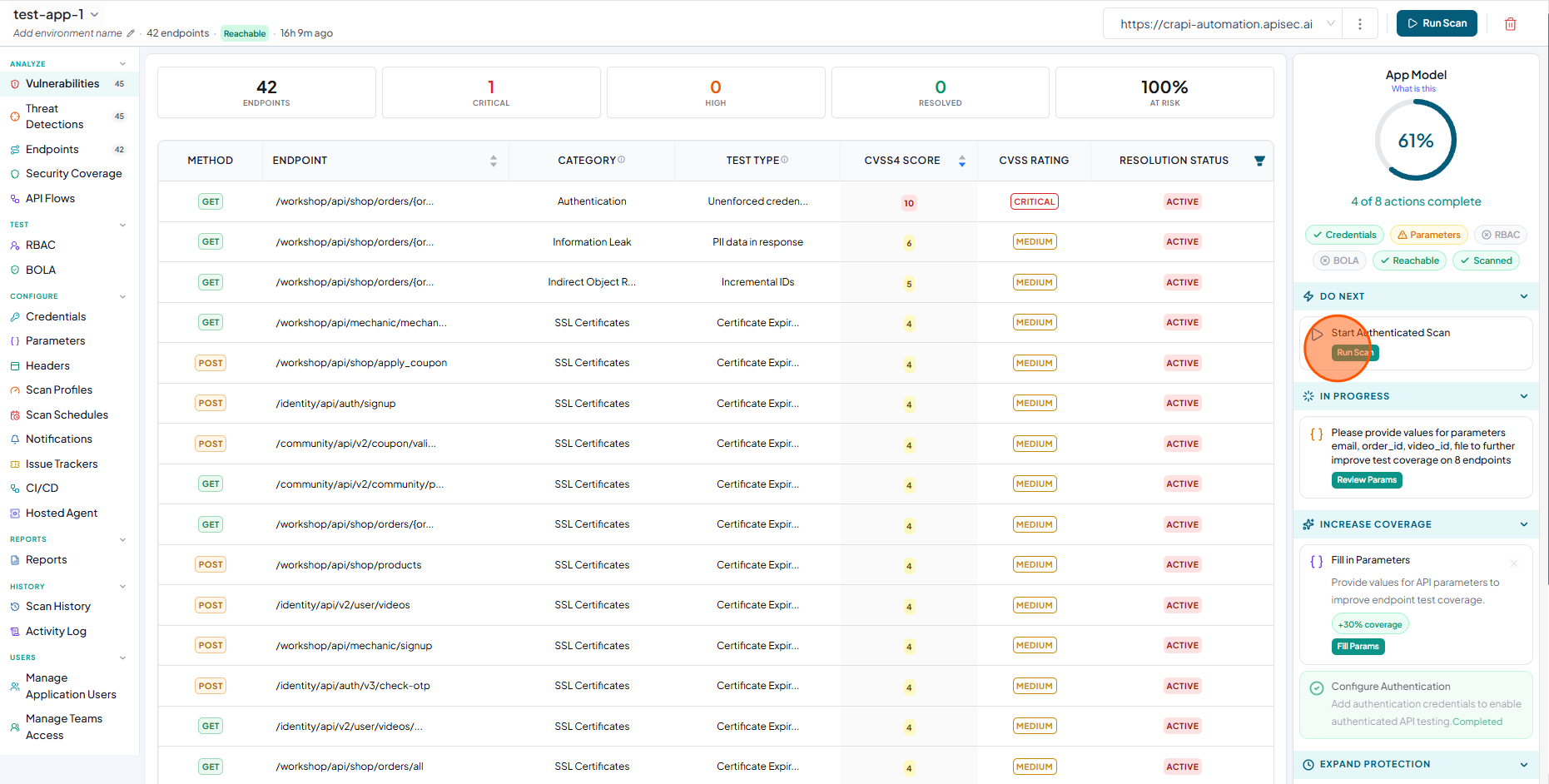
Click on the Start Authenticated scan
-
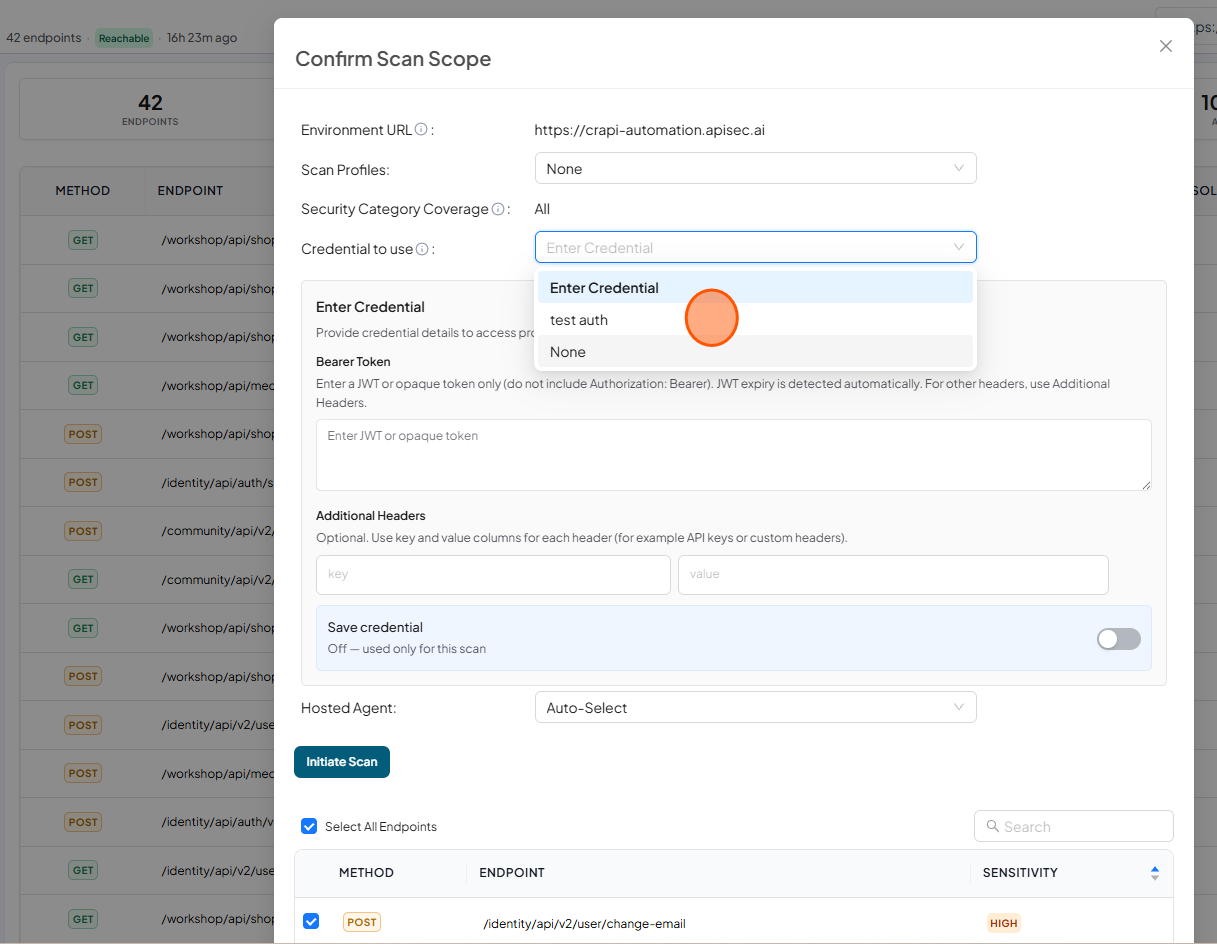
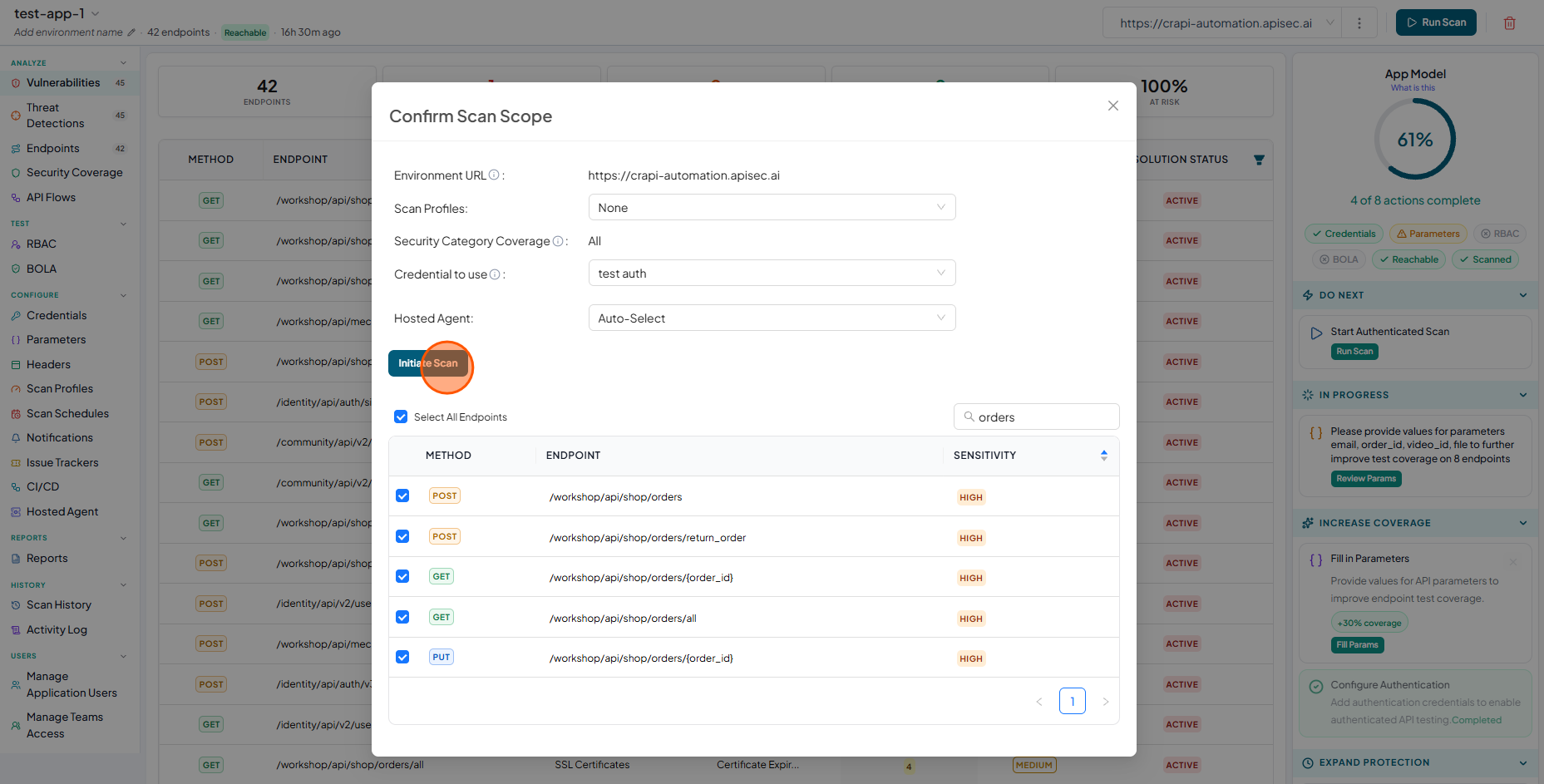
Now you will see "Confirm Scan Scope" window.
- In Credential to use, select an existing credential or select Enter Credential to configure a new credential for the scan.
- The newly entered credential can be used to initiate the scan immediately. Optionally, enable Save credential to store the credential for future use.
- Here you can select all endpoints or few endpoints to execute the scan.
-
After selecting the credential and endpoints, click Initiate Scan
-
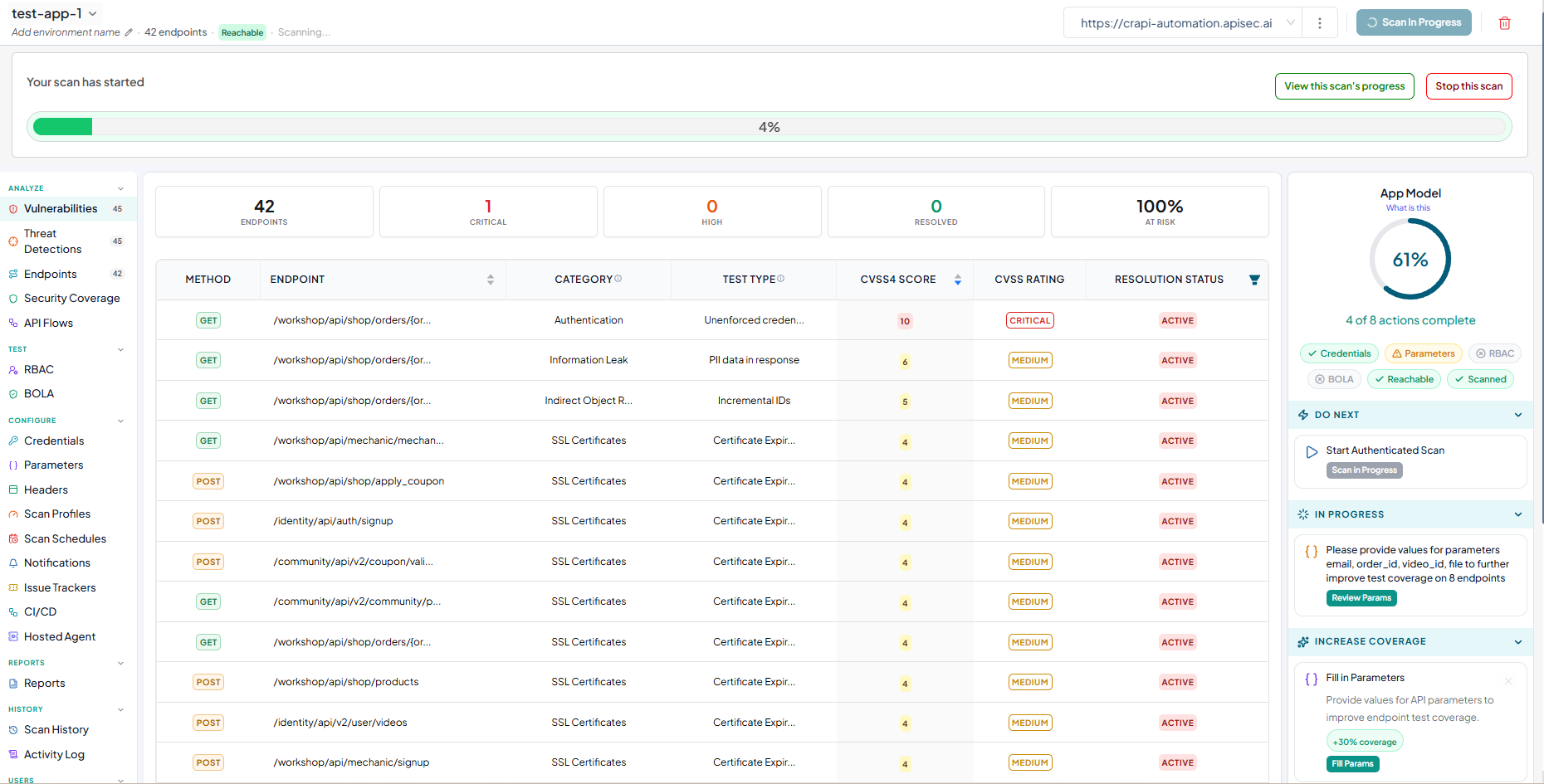
Now you will see the scan progress bar on the window
-
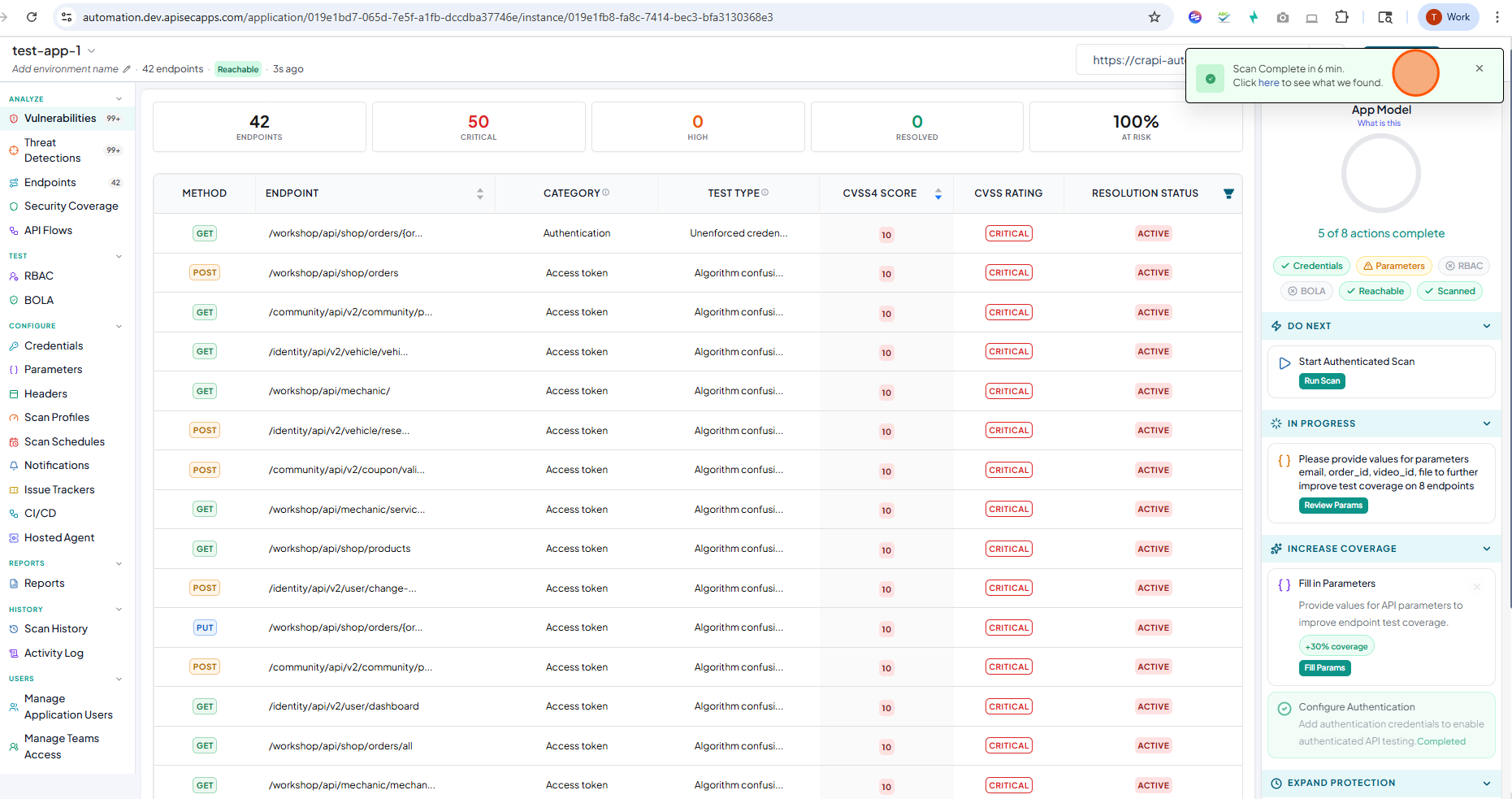
After the scan completes, a toast notification is displayed.